Every RFID vendor ships a demo app that reads a tag in ninety seconds. Every deployment then spends three months discovering that the demo answered none of the questions that matter at 4 p.m. on a warehouse floor: why the trigger stopped responding, why the battery died at hour six, why the list scrolled so slowly that operators stopped trusting it.
This is about the gap between those two apps. The SDK is a small part of it.
The SDK landscape: what you are actually integrating
Three APIs, three different design assumptions, and conflating them is the first mistake.
- The RFID SDK is a native library wrapped in Java: it owns an antenna, a reader thread and a callback interface.
- The barcode API (DataWedge or EMDK) is a separate subsystem with separate lifecycle rules, even on the same device.
- Barcode and RFID events arrive on different callbacks and must be merged into one scan model before the UI sees anything.
- Vendor SDKs vary in threading guarantees; if the documentation does not state thread safety, assume there is none.
- Pin the SDK version per device model and treat upgrades as a release, because behaviour changes between minor versions.
Threads, callbacks and the trigger
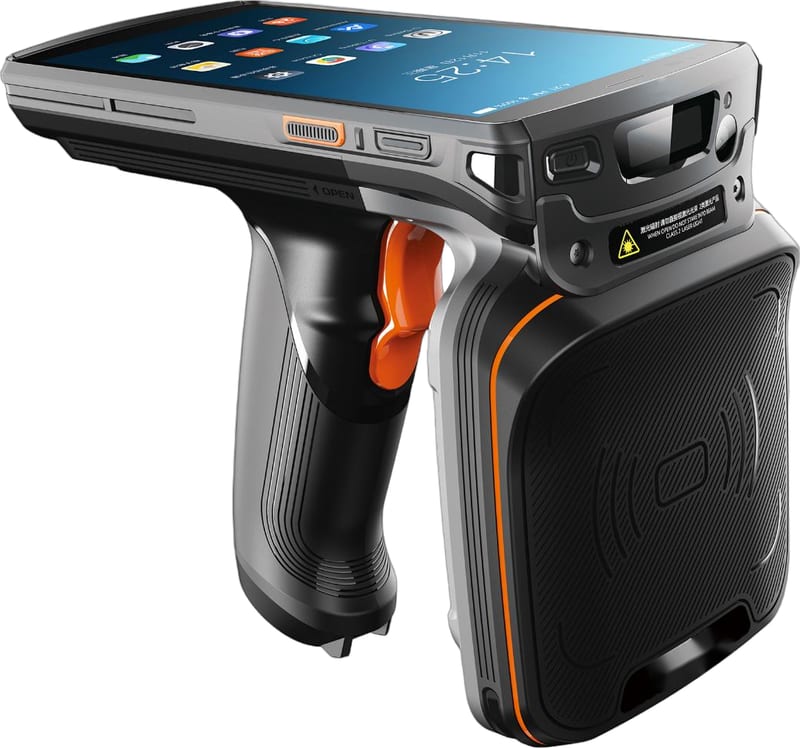
The trigger is the most-touched part of the app and the most common source of "it stopped working".
- Reader callbacks arrive on an SDK thread; never touch UI or a database from them, hand work to a queue.
- A trigger press starts a read session, a release stops it; make both idempotent, because hardware events duplicate.
- If a session is started while one is running, do not open a second; coalesce, or the reader will report errors you will chase for weeks.
- Every session needs a watchdog: if no event arrives in N seconds, tear down and reinitialise the reader rather than waiting forever.
- Reinitialise after every app resume, because the reader state does not survive process death or a device reboot.
Read configuration is not the same as on a fixed reader
Handheld defaults are tuned for a demo on a desk, and a warehouse is not a desk.
- Transmit power should follow the workflow: lower power for shelf accuracy, higher for a high rack, never maximum as a default.
- Session choice matters more than on a portal: session one holds tags quiet between reads, which suits counting the same shelf repeatedly.
- Filtering by EPC prefix before singulation is the cheapest way to stop reading the neighbouring aisle's stock.
- A short deduplication window in the app is normal; a long one hides real duplicate tags.
- Batch mode improves throughput but delays the first result; the UI must show that reading is happening, or operators will press harder.
Interface design for bulk reading
A bulk read screen is not a list; it is a progress display with exceptions.
- Show a running count, not a scrolling list, as the primary number; the count is what the operator is trying to establish.
- Show the last few reads for confidence, but cap the visible rows, because a thousand-row list is a frozen screen.
- Distinguish three states visually: reading, idle, and fault; operators diagnose by colour long before they read a message.
- Put the exception in front: unknown tag, wrong location, already counted, so the operator can act at the moment of the scan.
- Make the trigger and the on-screen button do the same thing, because gloves and sunlight both break assumptions about touch.
Offline first, sync second
Warehouses have dead zones, and a count that cannot be saved is a count that gets repeated.
- Store every read locally first, in a session-scoped store, then sync; never block the scan loop on a network call.
- Make the sync unit the session, not the tag, so a partial upload can be resumed without duplicates.
- Use a monotonic local sequence number and a device identifier for idempotency on the server.
- Show sync state explicitly: pending, syncing, failed with a retry count, so nobody assumes a green tick that never happened.
- Resolve conflicts on the server, with a rule the field team knows, rather than last-write-wins on the device.
Battery, thermals and the reality of an eight-hour shift
RFID is a power-hungry feature, and it is usually added to an app that was already marginal.
- Reading at high power continuously can halve battery life; budget the shift, not the demo.
- Keep the reader powered only during a session, and release it on idle, because a live antenna drains even when nobody scans.
- Watch thermals: sustained reading on a warm device triggers throttling, which looks like a range problem.
- Disable background location and other radios you do not need; the RFID radio is not the only consumer in the app.
- Give the operator a visible battery threshold and an early warning, so a count is not lost at ninety percent completion.
Fleet management: one app, many devices
A handheld fleet drifts, and the drift is invisible until a site reports different numbers.
- Pin app version, SDK version and configuration profile per device model, and record them in the scan payload.
- Send configuration from the server, not from a settings screen, so a mis-set power level cannot persist for months.
- Use an MDM to push updates and to prevent operators from installing a different app version "to test".
- Log device identity with every session; when a site's numbers look odd, the first question is which build it ran.
- Retire devices explicitly, and revoke their credentials, so a lost handheld cannot keep writing inventory.
Testing on real shelves, not on a desk
The demo passes on a desk. The release has to pass on a rack with metal shelving and a hundred garments.
- Test with the real tag and the real label placement, because a folded woven label reads differently from a flat inlay.
- Test at the worst location in the building: the far corner, the metal rack, the aisle next to the dock door.
- Test the full shift: start at a low battery, read for two hours, background the app, resume, and check the session survived.
- Test with gloves and in sunlight, because both change how the trigger and the screen are actually used.
- Keep a regression count of a known shelf: same shelf, same expected number, every release, before shipping.
The pattern across all of this is unglamorous: treat the reader as an unreliable peripheral, the network as absent, the battery as finite, and the operator as someone wearing gloves in bad light. Apps built on those assumptions survive the first Monday; apps built on the demo do not.